Does the MindSpore framework support dynamically switching datasets when data is sinking during training?
The model.train interface seems not to support dynamic switching; once the dataset object is determined, I haven’t seen any documentation stating that switching dataset objects is supported. However, if you customize the training process, you would handle the dataset yourself, and switching would be entirely under your control. But if you customize the training process, you would need to implement data handling on your own, which might be a bit complicated;
however, if you use a custom dataset, you can also implement the logic to switch between different data sources within the same dataset object.
Dear user, welcome to MindSpore. Please refer to the above solution and try it out~
It’s about custom training because data downloading is too troublesome, so we use a custom dataset. Now, we use MindDataset to process data in MindRecord format. However, I want to achieve downloading data while training the model, downloading one data and training the model once using the model.train interface, and adopting data downloading. After checking the source code, it seems that we need to regenerate the dataset_helper. I’m still verifying. Do you have any methods to realize a custom dataset that can download and train simultaneously? In other words, the dataset object is dynamic.
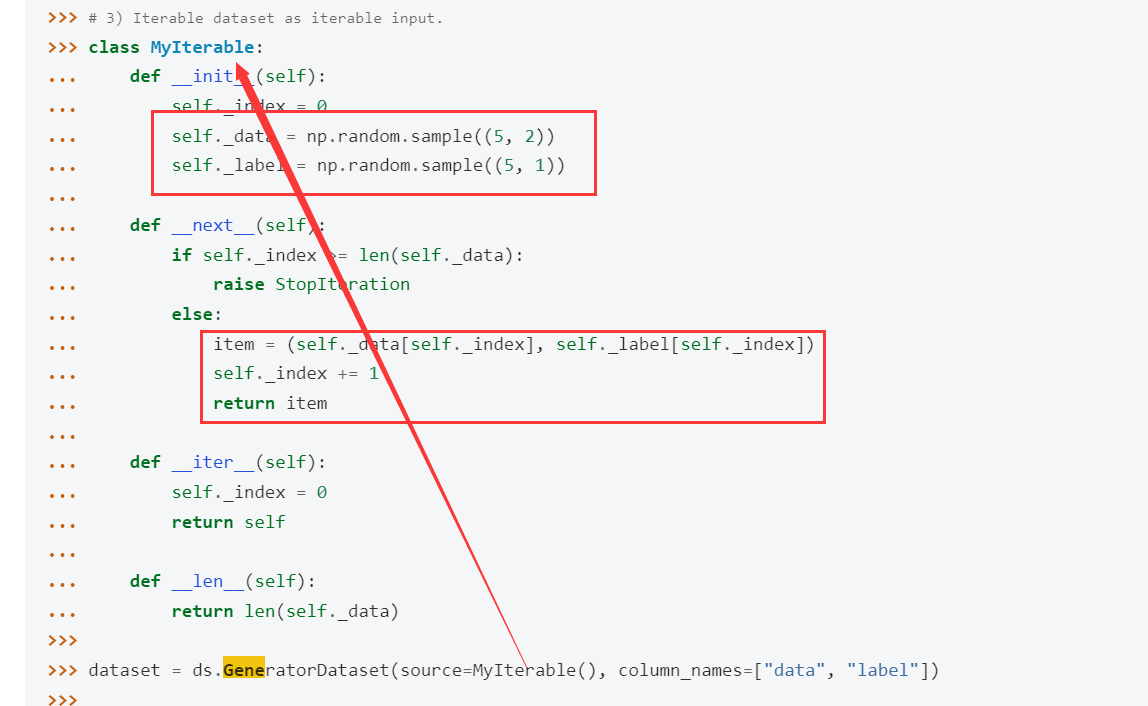
You can try using GeneratorDataset for a custom dataset, where the logic is implemented by yourself. Usually, it involves reading data from local data files, but you can replace it with downloading data from the internet;
In the example code provided in the documentation, some data is randomly generated here:

You can modify this logic to download data from the internet instead and try it out.
If we use a custom GeneratorDataset, how can we implement data sinking operations during training? Currently, I am re-downloading the data to overwrite the original data at the beginning of each epoch through a callback mechanism, and then creating a new dataset using the cb_params.train_dataset parameter. During training, I use the model.train interface with data sinking operations. Through this method, training can continue, but the step count becomes incorrect because I am using sink_size=-1 and not re-initializing dataset_helper. When I later re-initialize dataset_helper, the process waits until ModelArts reports an error, as if the dataset cannot be found. Is this related to the graph mode? Will re-initializing dataset_helper affect the communication operators?
[quote=“Serendipity, post:6, topic:673, full:true”]
If using a custom GeneratorDataset, how can I implement data sinking during training? Currently, I redownload the data to overwrite the original data at the beginning of each epoch through a callback mechanism, and recreate the new dataset using the cb_params.train_dataset parameter. During training, I use the model.train interface with data sinking operations. Through this method, training can continue, but the step count becomes incorrect because I use sink_size=-1 and do not reinitialize dataset_helper. Later, when I reinitialize dataset_helper, the process waits until ModelArts reports an error, as if the dataset cannot be found. Is this related to the graph mode? Will reinitializing dataset_helper affect the communication operators?
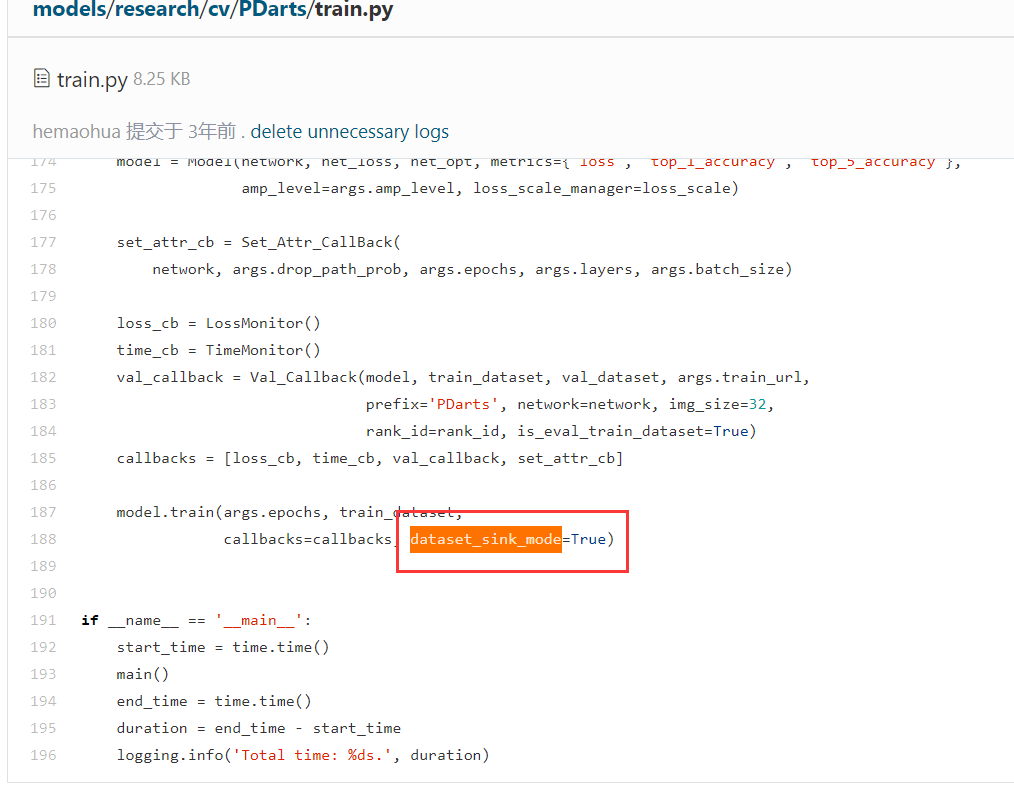
If you use the model.train API, isn’t it just setting the dataset_sink_mode parameter to True to enable data sinking? It has nothing to do with which data loading class is used, and other classes like GeneratorDataset can also be used; data sinking actually means that when training a certain step, there is a parallel queue processing the data needed for the next step, and it will call GeneratorDataset and other data classes to get the data, while the data loading logic inside GeneratorDataset is defined by yourself
可以参考下models仓库里的模型,虽然那些模型代码比较早了,可能现在的mindspore版本不能直接运行,但数据处理那边的逻辑基本是通用的,比如PDarts模型:
https://gitee.com/mindspore/models/blob/master/research/cv/PDarts/train.py
Dear user, the MindSpore support team has analyzed and provided the reason for the issue. Since we have not seen you accept the answer for a long time, the moderator will proceed with closing the thread. If you have any other questions, please post a new thread. Thank you for your support!